Posts

Showing posts with the label advanced hunting

Defender for Endpoint Vulnerability assessment of apps for Intune enrolled iOS devices

Image
Source:Microsoft While going through the Defender for Endpoint configuration in my tenant, I realized that I had Vulnerability management partially configured for iOS devices and therefore, decided to put things in order. Before I dive into the specifics, here is a little something on what MDE Vulnerability assessment of apps is really all about. As part of MDE, Vulnerability management helps in identifying, assessing, remediating vulnerabilities across all onboarded devices. It delivers asset visibility, intelligent assessments, and built-in remediation tools for Windows, macOS, Linux, Android, iOS, and network devices. With the help of capabilities like Microsoft threat intelligence, breach likelihood predictions, business contexts, and devices assessments, Defender Vulnerability Management continuously prioritizes the biggest vulnerabilities on your most critical assets and provides security recommendations to mitigate risk. In case of iOS specifically, vulnerability assessments sup...
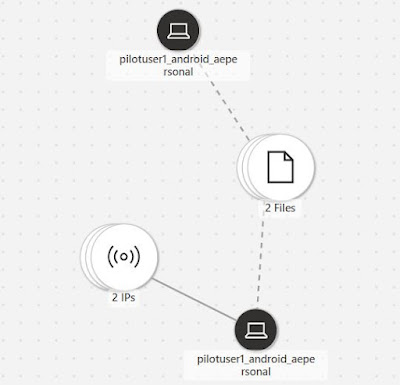
Microsoft Defender for Endpoint for Android Enterprise Personal Profile and Privacy Controls

Image
  I recently implemented MDE for Android Work profile devices for a customer and as part of the requirements, the customer wanted to extend Defender management to Personal profile to meet their data protection IT security policies. In this blog, I explore the configuration and cover specifics involving data protection and privacy controls for personal profile in Android Enterprise. Defender for Endpoint for mobile devices has been around for sometime now. I had covered the details of MDE onboarding for Android devices back in 2022 and it still holds up. While organizations can leverage the MAM scenario to onboard personal devices on MDE, it doesn't cover all the device management capabilities as compared to enrollment into an MDM solution like Intune. To address both data protection and end user privacy requirements of an organization, the Defender management under work profile can also be extended to personal profile. This way organizations can collect the necessary information t...

Using Custom Detections to trigger response actions on macOS in Microsoft Defender XDR

Image
  Microsoft Defender XDR (Rebranded and formerly known as Microsoft 365 Defender) has many features and as part of Advanced hunting under incident & response, Custom detections is a great way to create rules to monitor events and system states proactively, including suspected breach activity and misconfigured endpoints. One can then enable & configure response actions using various device & identity attributes and set them to run at regular intervals, generating alerts. Custom detections uses Advanced hunting which is based on the Kusto Query Language (KQL) which is a powerful tool that uses schema entities organized in a hierarchy similar to SQL. The language is expressive, easy to read and understand. To manage custom detections, you need to be assigned one of these roles permissions at a minimum: - Security settings - Security administrator - Security operator To understand Custom detections better, I wanted to explore the possibility of initiating a response a...