Posts

Showing posts with the label Proactive Remediation Scripts

Entra Hybrid Join + 802.1x using PEAP-MSCHAPv2 + Credential Guard = 'Perfect Storm'

Image
I recently encountered an issue as part of a project involving Entra hybrid join for existing domain joined devices and Co-management where devices stopped connecting to corporate wireless access points automatically. The devices would complain about missing credentials, resulting in authentication errors and eventually give up on connecting to the corporate Wi-Fi. Here is a snapshot of one such error - The environment is configured with Cisco ISE as the RADIUS solution with an authentication policy relying on PEAP MSCHAPv2 as the authentication protocol. The logs on the Cisco side reflected the same ' Internal authentication error ' as seen in the event viewer of the endpoints. This was strange at first because there was nothing set up in Intune or otherwise as part of the Co-management configuration that would interfere with the WiFi settings in general. On further investigation, it was discovered that the issue could very well be related to Credential Guard on the devices. ...

Fixing Tamper Protection Blob Error 65000 using Microsoft Intune

Image
I recently encountered an issue with enabling Tamper protection as part of the implementation of Defender for Endpoint in one of customer's tenant and considering how unusual the behavior was and how I didn't encounter this before, I decide to blog my experience. If you have been battling with the same issue, then this blog may just help you. There are multiple ways to enable Tamper protection as part of MDE. One can enable at a tenant level using Defender portal or do it using Intune. I normally choose the Intune, especially when dealing with endpoints to maintain uniformity with other Defender policies being managed by Intune. However, in this particular instance, the issue started cropping randomly on some endpoints where tamper protection would not enable and throw an error code 65000, as show below. Additionally, the status in Defender will report as Unknown instead of reporting Active or something else like EDR in block mode to suggest that Defender Antimalware is running...

Configuring Adobe Acrobat Reader DC policy settings using Intune for AAD devices

Image
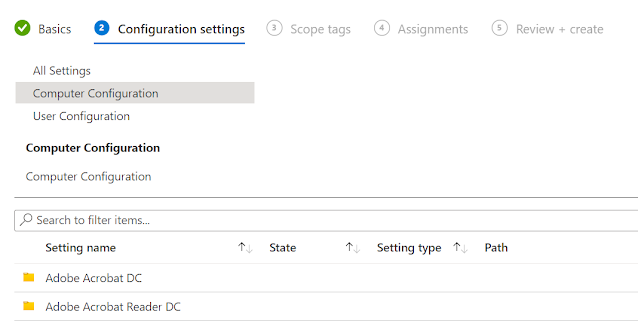
I recently had a requirement for setting up policies for Adobe Acrobat Reader DC to lockdown and configure some features against Autopilot provisioned AAD devices. Adobe does provide GPO templates, but what's astonishing is that these templates do not support all the settings. According to Adobe, the templates are basic starter templates containing the most important setting and are broadly spread across the following categories: 1. General enterprise settings: Features such as disabling updates and setting the default PDF handler. 2. Security: Application security features such as enhanced security, sandboxing, and JS controls. 3. TrustManager: Trusting Windows OS security zones as defined in Internet Explorer. 4. Digital Signatures: Adobe Acrobat Trust List integration. I imported the templates in Intune to check what all policies are supported in Intune and there were only a handful settings. According to Adobe, one can use Preference Reference to extend the templates, but this...

Addressing Defender Security Recommendation 'Disable JavaScript on Adobe Reader 2017' using Proactive Remediation Scripts in Intune

Image
Microsoft 365 Defender portal is a one stop shop for monitoring and responding to threat activity and in the process also strengthening the security posture across identities, email, data, endpoints, and apps. Within the portal and under the Vulnerability section, Microsoft have included Recommendations that gives you insight into various mitigatation steps to address the vulnerabilites. The more you remediate, the more your security score improves and reduces the over all threat exposure of the devices within your organization. I have been assisting a customer to improve their security score and I wanted to cover the steps I carried out to remediate one particular recommendation. The recommendation in question is ' Disable JavaScript on Adobe Reader 2017 ' and this is what I did. The remediation steps involve configuring a registry key to disable  bDisableJavaScript . The information can be accessed within the recommendation itself. There are multiple ways to configure the ...

Proactive Remediation Scripts in Intune..the saga continues. Detect and delete a Windows Scheduled Task

Image
Just a couple of months back I had blogged about fixing Broken Device Sync using Proactive remediation scripts in Intune. Today I am going to cover a use case involving detecting a schedule task and deleting it using Proactive remediation scripts feature in Intune. A little background on the use case - If you have been working with Lenovo devices, then you may have come across Glance by Mirametrix pre-installed on some of the models. Glance uses the built-in camera to provide some security features like Presence Detection, Privacy alerts etc. However, the software can also result in intrusive behavior and cause disruption to end user's over all experience. A customer I recently worked with wanted to get rid of this software and part of the solution was to delete the Schedule task that is responsible for re-installing the software after the reboot. Head over to this link for more details. Coming to the solution - As you would know by now that for Proactive remediation scripts fea...

How to fix broken device sync using Proactive Remediation Scripts feature in Intune

Image
In the world of Microsoft Endpoint Management (MEM), it is important that devices regularly check in with Intune. If this breaks down, then one practically loses the ability to manage the devices for any MDM based policies. However, not everything is lost at this point and there is a way to get around this and get your devices checking in again. I recently dealt with an issue where devices stopped checking in soon after they were enrolled. While the investigation is on to find the root cause, a 3 rd party remote management application is under suspicion. Now I don’t want to go into too much detail about the application as the investigation has not concluded yet, but I must say that the app was found to be interfering with the Intune services during Autopilot and had to be removed from the standard list of apps. Instead, it was made available to users to install from the Company Portal and almost every device where it was installed, stopped checking in. On further investigation, it...