Intune Windows custom compliance for tracking BitLocker Recovery Key & Protection status - An Administrator's experience!

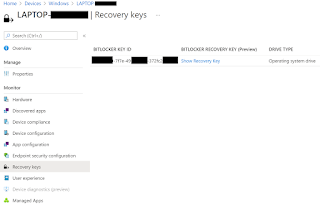
When it comes to capturing BitLocker encryption status, there are multiple options available in the Windows compliance policy in Intune. From Require BitLocker , Require Secure Boot to be enabled on the device , and Require code integrity under Device Health attestation, to Require encryption of data storage on device which not only captures the encryption status of the OS drive against BitLocker, but even non-Microsoft encryption solutions. However, it is a known fact that due to delays in getting BitLocker encryption compliance to report in a timely and accurate manner, it can rather be challenging in getting the right compliance settings in place. Especially if the device compliance state is being used in Entra ID conditional access policies. Another issue that I have come across is lack of compliance reporting against BitLocker recovery key escrow. This is especially common in Co-management scenarios when the BitLocker Drive Encryption management has moved to Intune an...