Posts

Showing posts with the label Windows Autopilot

Delaying installation of applications during Autopilot provisioning

Image
If you provision devices using Autopilot, then you may have dealt with situations like delaying installation of certain applications to address provisioning requirements or simply get the process over the line. I recently had to deal with a something similar involving Zscaler in a customer's tenant. Installation of the application would halt the provisioning process, regardless of whether it installed in device or account setup phase. This is because the way Zscaler policy was configured in the customer's tenant which required user credentials before allowing access to internet.  Back in the day, if you were using ConfigMgr, then this could be addressed by creating a dynamic collection that would populate with the devices based on the completion status of an imaging task sequence. You would then target the same collection with such apps or scripts as post installation tasks. With Intune, the same isn't really possible using the native functionality and one has to come up wi...
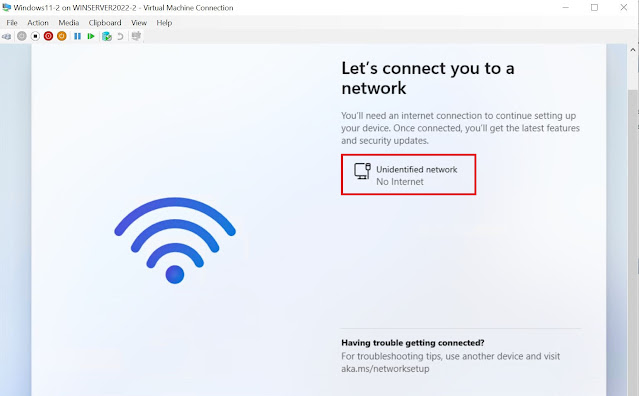
Windows Autopilot - Fixing Windows 11 VM 'No Internet' issue hosted in a Windows Server OS Hyper-V

Image
In my line of work, I have to work with all kind of devices spread across multiple OS platforms. Now when it comes to building and testing a configuration on Windows endpoints, I would normally use a physical device or in absence of it, I will turn to a virtual setup involving a Windows 10\11 VM or most recently a Cloud PC. For sometime now, I have been hosting the Windows 10\11 VM in a Hyper-V installed on a Windows 10 Azure VM enabled & configured for nested virtualization. While this got the job done, it couldn't really match the performance of what Hyper-V running on Windows Server OS could deliver. I recently setup a new test tenant and used it as an opportunity to cleanup and introduce some new configurations. I decided to setup a Windows Server 2022 OS VM and installed Hyper-V on it then created the guest Windows 11 VM inside it. While I followed the usual steps of putting the configuration together like I did before, I did encounter some issues and learnt some new thing...