Posts

Showing posts with the label IEMode

Cloud Site List Management for IE mode
Image
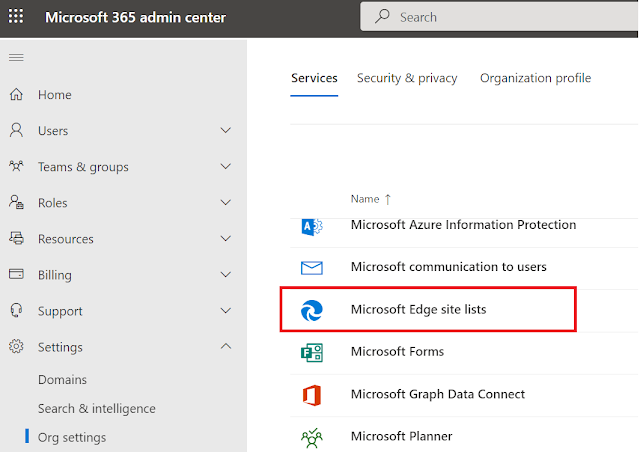
Back in August 2021, I had published a blog covering the details and the process of configuring Enterprise mode site list  to support Internet Explorer dependent URLs\web apps together with the use of an Azure blob for storing the custom enterprise mode list (EML) in the cloud. With the introduction of  Cloud site list management  in the  Microsoft 365 Admin Portal, the entire configuration has been simplified. Cloud site list management  is a great addition as organizations can now store their own site list directly in Azure cloud. Not only that, they will be able to create, publish, import, export site lists, and audit changes to site list entries all through the Microsoft 365 Admin Center itself. The site lists can then be delivered using GPO, Intune or ConfigMgr. However, there are some prerequisites which need to be considered before one can start using the feature - - Customers must have an Azure AD tenant . - Admins must have Microsoft Edge version 93 or...

How to disable IE11 using Intune

Image
If you have been following the messages in the message center in Microsoft 365 Admin portal, then you must have seen the recent message MC316144 for the retirement of IE set for June 15, 2022.  So what does this really mean? If you are still using IE11 in your organization, then all access attempts  made by the end users to the browser will get redirected to Microsoft Edge because IE11 desktop application will no longer be supported. Note: Windows 10 LTSC and Server not affected. As the first step, I will suggest to check the Browser usage report dashboard in Microsoft 365 Admin Portal . This can be accessed by navigating to Reports>Usage. The usage report will give you insight into how many users are still accessing legacy browsers. If you have a requirement for running sites in IE legacy mode and if you haven't already configured E nterprise IE mode , then you can head over to the my previous post  Configure the Enterprise Site List mode the modern way ...

Configure the Enterprise Site List mode the modern way

Image
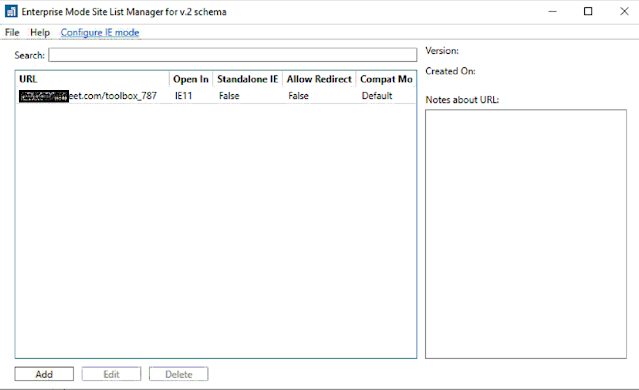
I recently had to deal with a requirement where  websites (mostly legacy web apps) designed and compatible to run on IE versions 10 and older, needed to be allowed to run on Edge Chromium. That is when I stumbled on Enterprise Mode  which allows rendering  websites using a modified browser configuration, designed to emulate legacy versions of Internet Explorer. Using Intune, I am going to cover the process of creating an Enterprise Mode Site List Manager  containing website URLs along with specific render modes and the configuration of Microsoft Edge browser. Create the Enterprise Mode Site List XML Download the EMIESiteListManager.msi and install it. C lick on Add   button   which will allow you to add URLs along with relevant Compat Mode and Open In . For Open in when you choose None , the URL is allowed to open in Internet Explorer and Edge. Choose IE11 to force the URL to open in IE or choose MSEdge to open the URL in Edge. Since my requirement is...