Posts

Showing posts with the label Phishing

Protect Microsoft Admin Portals with SIF + (Phishing resistant MFA Or Compliant Device)

Image
Source: Microsoft The memo 22-09  utilizes Microsoft Entra ID as the centralized identity management system when implementing Zero Trust principles and requires employees using enterprise-managed identities to authenticate through multifactor authentication through the means of FIDO2 security keys or Windows Hello for Business to protect against phishing related online attacks. There are multiple options for meeting phishing-resistant multifactor authentication requirements with Microsoft Entra ID. However, the trajectory should be towards implementing modern credentials. Some of the modern approaches are - 1. FIDO2 security keys which according to the Cybersecurity & Infrastructure Security Agency (CISA) is the gold standard of multifactor authentication. 2. Microsoft Entra certificate authentication without dependency on a federated identity provider. 3. Windows Hello for Business as phishing-resistant multifactor authentication Access to Microsoft admin portals like Microsof...
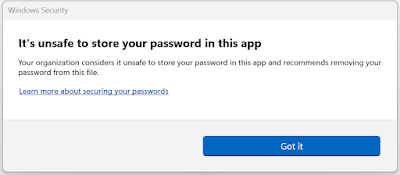
Enable Enhanced Phishing Protection on Windows 11 22H2 using Intune

Image
  Microsoft recently released next version of  Windows 11 known as 22H2. This feature update comes with many new security capabilities and one of such capability is Enhanced Phishing Protection. As part of Microsoft Defender SmartScreen, Enhanced Phishing Protection helps in protecting Microsoft school or work passwords against phishing and unsafe usage on sites and apps. It currently supports the following 3 scenarios: 1. If users type their work or school password on any Chromium browser, into a site deemed malicious by Microsoft Defender SmartScreen, Enhanced Phishing Protection will alert them. It will also prompt them to change their password so attackers can't gain access to their account. 2. Reusing work or school passwords on sites and apps will prompt them to change their password. 3. Storing plaintext passwords in text editors such as Notepad or Office applications like Word, will result in a warning and a recommendation for removing the password from the file. If yo...