Posts

Showing posts with the label Symantec Encryption Desktop

How to do Windows 10 OS In-place upgrade with Symantec Encryption Desktop installed using ConfigMgr (My Experience)
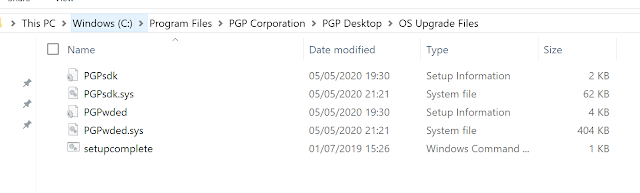
Image
Ever since Windows 10 was released as a service ie. WaaS (Windows as a Service), it changed the way Windows versions were going to be upgraded in the future. The release cadence may have changed a couple of times from the time first Windows 10 build came out, but the basic principle remains the same. That is to keep the builds up to date in order to ensure OS remains supported for monthly security and quality updates. Something that enterprises have to take very seriously in order to safeguard their environment and data from security attacks. Recently I worked on a project that involved upgrading Windows 10 OS version to 20H2 on devices encrypted by Symantec Encryption Desktop. Now, Microsoft security solutions like Defender, Bitlocker are natively compatible with newer Windows 10 OS versions and support In-place upgrades out of the box. However, with 3rd party security solutions, one will need to check for compatibility. This is where things get interesting. It took me some man hours ...

Controlled Folder Access - Ransomware Protection, Exclusions, Trusted apps and much more..

Image
Controlled folder access is a feature that helps protect your documents and files from modification by suspicious or malicious apps. It does so by checking apps against a list of trusted apps. This is particularly important during Ransomware attacks when user data can get encrypted which is normally found in common system folders. Here is a list of Windows system folders that are protected by default: c:\Users\<username>\Documents c:\Users\Public\Documents c:\Users\<username>\Pictures c:\Users\Public\Pictures c:\Users\Public\Videos c:\Users\<username>\Videos c:\Users\<username>\Music c:\Users\Public\Music c:\Users\<username>\Favorites The protected folders also include boot sectors and you can add more folders, allow specific apps access to the protected folders or exclude them all together. I recently dealt with one such application that needed to be allowed access to the protected folders. The app in question is Symantec Encryption Desktop. The first ind...